
Sooner or later, almost every WordPress developer runs into this question:
Where should this custom code go?
The answer comes down to one important distinction.
Is It Design or Functionality?
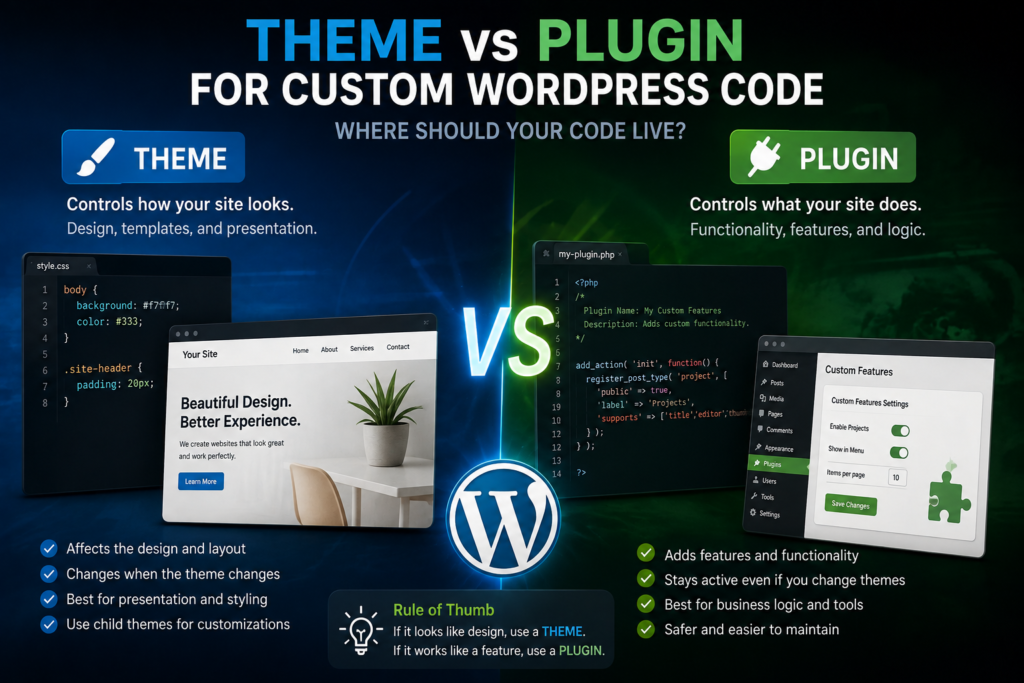
If the code controls the site’s presentation, it generally belongs with the theme.
If the code adds functionality the website should retain regardless of its design, a plugin is usually the better location.
For example:
Theme-related
- Layout
- Typography
- Template styling
- Header design
- Footer presentation
Plugin-related
- Custom business logic
- Data processing
- Forms
- Integrations
- Custom functionality
- Features that should survive a theme change
Think About What Happens When the Theme Changes
Suppose you’ve created a custom function that registers important business information.
If that feature disappears the moment someone switches themes, was it really part of the design?
Probably not.
That’s one of the easiest ways to make the decision.
Ask:
Should this feature continue working if the website receives a completely different design tomorrow?
If yes, consider placing it in a plugin.
What About functions.php?
The theme’s functions.php file can contain PHP code, which makes it tempting to put everything there.
But being able to put something somewhere doesn’t necessarily make it the best architecture.
Use the theme for theme-specific functionality.
Use plugins for portable site functionality.
Child Themes
When modifying a third-party theme, a child theme can prevent your changes from being overwritten when the parent theme updates.
That makes child themes particularly useful for design and template customization.
But a child theme still shouldn’t become a dumping ground for every custom feature the website has ever needed.
Custom Plugins Don’t Have to Be Huge
Developers sometimes hear “custom plugin” and imagine building a commercial product with hundreds of files.
A site-specific plugin can be extremely small.
Its purpose is simply to separate functionality from presentation.
That separation makes the website easier to maintain and easier for another developer to understand later.
Build for the Next Developer
Professional development isn’t only about making something work today.
It’s also about leaving behind an architecture that makes sense six months or three years later.
The clearer the separation between design and functionality, the easier that future maintenance becomes.
A useful rule is:
Theme controls how the site looks.
Plugins control what the site does.
There are exceptions, but that principle will lead you in the right direction surprisingly often.