
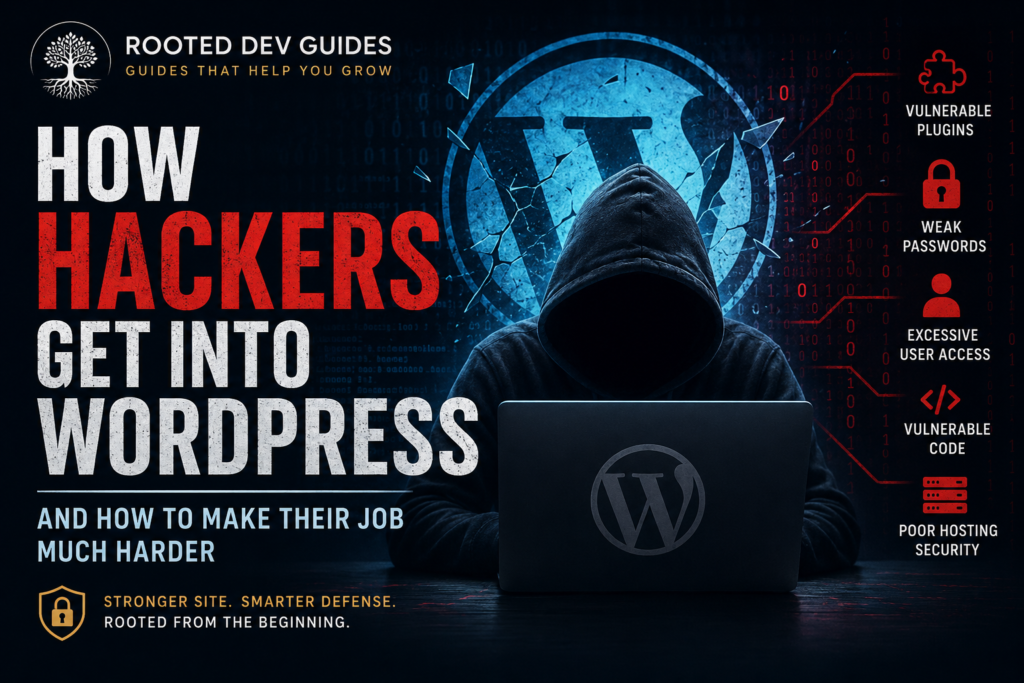
WordPress powers a huge portion of the web, which also makes it an attractive target for attackers. The good news is that most WordPress websites are not compromised because a hacker discovered some mysterious, highly advanced technique.
More often, attackers get in through weaknesses that could have been prevented: outdated software, vulnerable plugins, reused passwords, poor user permissions, insecure hosting, or missing security layers.
Understanding how WordPress websites actually get compromised is one of the best ways to protect yours.
1. Outdated WordPress Plugins
Plugins are one of WordPress’s greatest strengths. They allow website owners to add everything from contact forms and ecommerce to SEO tools and membership systems.
They can also become one of the biggest security risks.
When a vulnerability is discovered in a plugin, the developer will often release an update that fixes it. The problem starts when website owners don’t install that update.
Attackers frequently scan the internet looking for websites running known vulnerable versions of plugins. They don’t necessarily have to target your business specifically.
Your website may simply be one of thousands running software with a known weakness.
How to reduce the risk
Keep plugins updated and regularly review what’s installed.
If you’re no longer using a plugin, don’t simply deactivate it indefinitely.
Delete it.
Every unnecessary plugin increases the amount of software that must be maintained and monitored.
I generally recommend asking three questions before installing any WordPress plugin:
- Do I really need it?
- Is it actively maintained?
- Do I trust the developer behind it?
More plugins do not automatically make a better WordPress website.
2. Outdated Themes
Themes can introduce vulnerabilities too.
This is especially important for websites that have accumulated several unused themes over the years.
You may only be using one theme, but old themes sitting inside the WordPress installation still contain PHP files and code.
Keep your active theme updated and remove themes you don’t need.
You may want to keep one current default WordPress theme available for troubleshooting, but there usually isn’t a good reason to store a collection of outdated themes on a production website.
3. Weak or Reused Passwords
One of the simplest ways to compromise a WordPress site is also one of the oldest:
Obtain the password.
Attackers can use automated systems to try large numbers of username and password combinations against login forms.
The risk becomes significantly greater when someone reuses the same password across several websites.
If another service suffers a data breach and that password becomes exposed, attackers may try the same credentials against WordPress, email accounts, hosting accounts, and other services.
Better password practices
Use:
- Long, unique passwords
- A reputable password manager
- Two-factor authentication where available
- Separate passwords for WordPress, hosting and email
Never share administrator accounts between several people.
Every person who needs access should have their own account.
That makes access easier to revoke and activity easier to track.
4. Too Many Administrator Accounts
Not everyone working on a WordPress website needs Administrator access.
WordPress includes different user roles for a reason.
A writer may only need Author or Editor permissions. Someone managing products may only need permissions related to the ecommerce system.
Giving every user Administrator privileges increases risk unnecessarily.
If one of those accounts is compromised, the attacker receives far more control than they otherwise would have.
Follow a simple principle:
Give people the minimum access necessary to do their job.
Then periodically review WordPress users and remove accounts that are no longer needed.
5. Compromised Administrator Email Accounts
WordPress security doesn’t stop at WordPress.
Consider what happens if an attacker gains access to the email account associated with your WordPress administrator.
Password reset emails are often delivered there.
Your hosting provider may also use that email account.
Your domain registrar might use it.
That means protecting your email account can be just as important as protecting WordPress itself.
Use a strong, unique password and enable two-factor authentication on the email account connected to your website.
6. Poorly Maintained Hosting Environments
Your WordPress installation is only one layer of the system.
Underneath it sits:
- Web server software
- PHP
- Database software
- Hosting configuration
- File permissions
- Server security
- Backups
Good hosting doesn’t eliminate the need for WordPress security, but poor hosting can make an already vulnerable situation worse.
Your hosting environment should be kept updated, properly configured and regularly backed up.
If your provider offers server-level security features, learn what they actually protect instead of assuming that hosting automatically handles everything.
7. Vulnerable Custom Code
Custom WordPress code can be extremely powerful.
It can also create security problems when it is written without proper validation, sanitization, escaping, permission checks or nonce protection.
This applies to:
- Custom plugins
- Custom themes
- Theme functions
- Forms
- AJAX handlers
- Database queries
- REST API integrations
WordPress provides built-in functions developers can use to help handle these situations safely.
For example, developers should think carefully about three different stages:
Validate and sanitize incoming information.
Check whether the user has permission to perform the requested action.
Escape information appropriately when displaying it.
Security should be part of the development process, not something added after the feature is finished.
8. Abandoned Plugins and Themes
Sometimes software isn’t technically outdated because there simply haven’t been any updates.
That’s not necessarily a good thing.
A plugin that hasn’t been maintained for years may eventually become incompatible with newer WordPress or PHP versions, and security issues may remain unresolved.
Before installing a plugin or theme, look at signs of ongoing maintenance.
A popular plugin isn’t automatically safe forever.
Software changes.
WordPress changes.
PHP changes.
Security practices change.
Your website needs software that continues to evolve with them.
9. Insecure File Permissions
WordPress needs permission to read and sometimes modify files on the server.
But those permissions shouldn’t be broader than necessary.
Improper file permissions can potentially give processes or users access they shouldn’t have.
This is an area where website owners should be careful.
Changing permissions randomly because a tutorial says to use a certain number can create additional problems.
File permissions should match the hosting environment and WordPress configuration.
When in doubt, work with your hosting provider or an experienced WordPress developer rather than guessing.
10. Malware Hidden Inside Pirated Plugins or Themes
A premium WordPress plugin that normally costs money suddenly appears on an unfamiliar website for free.
That can be tempting.
It can also be dangerous.
Modified or pirated WordPress software can potentially contain malicious code that gives someone else access to your website.
Saving $50 on a plugin isn’t worth risking an entire business website.
Download themes and plugins from reputable sources and purchase premium products from their legitimate developers or authorized marketplaces.
11. Unprotected Forms and User Input
Any feature that accepts information from visitors deserves attention.
That could include:
- Contact forms
- Search boxes
- Account registration
- Comments
- File uploads
- Product reviews
- Custom forms
- API endpoints
Developers should never blindly trust information submitted by a browser.
Input should be validated and sanitized, and output should be escaped appropriately.
File uploads deserve particular care because allowing users to upload files creates additional security considerations.
12. Stolen Hosting or FTP Credentials
An attacker doesn’t necessarily need your WordPress password.
Access to your hosting account, SFTP account, control panel or server credentials could provide another route into the website.
That’s why WordPress security needs to be layered.
Protect:
- WordPress accounts
- Hosting accounts
- Domain registrar accounts
- Email accounts
- SFTP/SSH credentials
- Database credentials
A strong WordPress administrator password cannot protect a website when the hosting account itself has been compromised.
13. Websites That Aren’t Monitored
One of the worst times to discover that a website has been compromised is several months after it happened.
Security isn’t only about preventing attacks.
It’s also about noticing unusual activity.
Depending on the website, monitoring might include:
- Unexpected administrator accounts
- Modified files
- Suspicious login activity
- Unexpected redirects
- New plugins you didn’t install
- Website uptime
- Malware scanning
- Security logs
The earlier a problem is discovered, the easier it is usually to understand what happened and begin recovery.
14. Backups That Don’t Actually Work
A backup is one of the most important parts of a WordPress security strategy.
But there’s an important difference between:
having a backup system
and
having a backup you can successfully restore.
Backups should ideally be:
- Created automatically
- Stored somewhere other than only the production server
- Retained for an appropriate amount of time
- Tested periodically
- Available even if the website itself becomes inaccessible
A security incident is a terrible time to discover that the only backup you have is corrupted or incomplete.
WordPress Security Is About Layers
There is no single plugin, setting or service that makes a WordPress website completely secure.
A stronger approach combines multiple layers:
Secure hosting
- ●
Updated WordPress software
- ●
Carefully selected plugins and themes
- ●
Strong authentication
- ●
Appropriate user permissions
- ●
Secure development practices
- ●
Monitoring
- ●
Reliable backups
When one layer fails, another may still prevent the situation from becoming a complete disaster.
That’s the idea behind layered security.
Start With the Basics
You don’t have to become a cybersecurity expert before improving your WordPress security.
Start with the fundamentals:
- Update WordPress
- Update plugins and themes
- Remove unused software
- Use unique passwords
- Enable two-factor authentication
- Review administrator accounts
- Back up the website
- Protect your hosting and email accounts
- Monitor for unexpected changes
Those basic steps eliminate many of the weaknesses attackers commonly look for.
Build Security From the Root Up
WordPress security works best when it’s treated as part of how the website is built and maintained—not as an emergency response after something goes wrong.
That’s also the philosophy behind WordPress Security From the Root Up.
The book takes a practical look at building a layered WordPress security strategy, helping website owners and developers understand not only what to protect, but why each layer matters.
Explore WordPress Security From the Root Up and the complete Rooted Dev Guides series at RootedDevGuides.com.